Eight tools. One prompt. Wildly different results. The AI image generation landscape shifted dramatically in 2025, and choosing the right tool now saves you hours of wasted generation time. We tested every major AI image generator with identical prompts across six categories. This guide shows you exactly which tool wins where—and which one fits your workflow.
• Best overall quality: Midjourney v7 — unmatched aesthetics and consistency
• Best all-rounder: ChatGPT / GPT Image 1.5 — #1 on LM Arena, replaced DALL-E
• Best free option: Google Nano Banana Pro — 4K native, generous free tier
• Best for speed: FLUX.2 — fastest generation, open-source
• Best for text in images: Ideogram 3.0 — industry-leading text rendering
• Best for commercial safety: Adobe Firefly Image 4 — trained on licensed content
No free tier
Limited free tier
Yes — generous free tier
Yes — Klein model free
Yes — fully open-source
Yes — 150 tokens/day
Yes — limited free tier
Yes — limited free tier
How We Tested
We ran six identical prompts through all eight tools: a photorealistic portrait, product photography, fantasy illustration, text-heavy poster design, architectural visualization, and abstract art. Every tool used default settings at its highest available quality tier.
Each result was scored on a 10-point scale across five criteria: image quality, prompt adherence, speed, consistency across regenerations, and text rendering accuracy. We generated each prompt three times per tool to account for variation.
The prompts were designed to stress-test different capabilities. Portraits reveal skin texture and lighting. Product shots test reflection and material accuracy. Fantasy art challenges composition and imagination. Text posters expose typography handling. Architecture tests geometric precision. Abstract art measures color and artistic quality.
The 8 Best AI Image Generators
1. ChatGPT / GPT Image 1.5 — Best All-Rounder
| Spec | Detail |
|---|---|
| Access | ChatGPT Plus ($20/mo), API |
| Model | GPT Image 1.5 (Dec 2025) |
| Best for | Conversational image creation, iterative refinement |
| Resolution | Up to 2048×2048 |
GPT Image 1.5 replaced DALL-E entirely in late 2025 and immediately climbed to #1 on the LM Arena image leaderboard. The biggest advantage: you describe what you want in plain language, and it understands context, nuance, and intent better than any competitor.
It handles photorealism, illustration, and product shots with consistent quality. The conversational interface means you can say "make the background warmer" or "add more detail to the hands" without rewriting your entire prompt. That iterative workflow saves significant time.
Limitations: generation speed is middle-of-the-pack. No standalone image tool—you must use it through ChatGPT. Artistic stylization doesn't quite match Midjourney's painterly quality. API pricing can add up for high-volume users.
[IMAGE: gpt_showcase_1.png — Best GPT Image 1.5 generation from testing]
[IMAGE: gpt_showcase_2.png — Second best GPT Image 1.5 result]GPT Image 1.5 results from our testing suite — strong across portrait and product categories
2. Midjourney v7 — Best Image Quality
| Spec | Detail |
|---|---|
| Access | Discord bot, midjourney.com |
| Model | v7 (2025) |
| Best for | Artistic quality, professional creative work |
| Resolution | Up to 2048×2048 (with upscale) |
Midjourney remains the quality benchmark. Version 7 brought improved hand rendering, better text in images, and more consistent multi-subject compositions. The aesthetic "feel" of Midjourney outputs is still unmatched—images have a polished, intentional quality that competitors struggle to replicate.
Photorealism is exceptional. Fantasy and concept art are industry-leading. The community on Discord provides endless prompt inspiration and real-time feedback. For professional creatives who need portfolio-quality results, Midjourney is still the default choice.
Limitations: the Discord-based interface frustrates beginners (though the web app is improving). No free tier anymore. Prompt syntax has a learning curve. Speed is adequate but not the fastest. The $10/mo basic plan limits generations.
[IMAGE: midjourney_showcase_1.png — Best Midjourney v7 generation]
[IMAGE: midjourney_showcase_2.png — Second best Midjourney v7 result]Midjourney v7 excels at atmospheric lighting and compositional drama
3. Google Nano Banana Pro — Best Free Option
| Spec | Detail |
|---|---|
| Access | Google AI Studio, Gemini, API |
| Model | Nano Banana Pro (Nov 2025) |
| Best for | Free high-quality generation, 4K output |
| Resolution | Up to 4096×4096 native |
Google's entry shot to #2 on the LM Arena leaderboard almost immediately. Nano Banana Pro generates native 4K images with quality that rivals Midjourney, and the free tier is remarkably generous. For users who need high-resolution output without a subscription, this is the clear winner.
Integration with Google's ecosystem is seamless. Use it through Gemini, AI Studio, or the API. Prompt understanding is excellent thanks to Google's language model foundation. The 4K native resolution means no upscaling artifacts—a genuine advantage for print and large-format work.
Limitations: the model can be overly "safe" with content filtering, sometimes refusing prompts that other tools handle fine. Artistic stylization lags behind Midjourney. The tool is newer, so the community and prompt knowledge base are still growing.
[IMAGE: nano_showcase_1.png — Best Nano Banana Pro generation]
[IMAGE: nano_showcase_2.png — Second best Nano Banana Pro result]Nano Banana Pro's native 4K output delivers exceptional detail without upscaling
4. FLUX.2 — Fastest Generation
| Spec | Detail |
|---|---|
| Access | Replicate, fal.ai, local, various UIs |
| Model | FLUX.2 Klein (free) / Pro (paid) |
| Best for | Speed, open-source workflows, API integration |
| Resolution | Up to 2048×2048 |
FLUX.2 from Black Forest Labs is the speed champion. The Klein model generates images in under 5 seconds. The Pro model adds quality while keeping generation times under 15 seconds. For developers building AI-powered products or creators who need rapid iteration, FLUX.2's speed advantage is transformative.
The open-source Klein model runs locally and through dozens of third-party UIs and APIs. This flexibility makes it ideal for custom workflows, batch processing, and integration into existing tools. Quality is genuinely good—not quite Midjourney tier, but competitive with most alternatives.
Limitations: lacks the polish of Midjourney or GPT Image for final portfolio pieces. Text rendering is average. The open-source ecosystem means variable quality across different hosting providers. No single official UI—you need some technical comfort.
[IMAGE: flux_showcase_1.png — Best FLUX.2 generation]
[IMAGE: flux_showcase_2.png — Second best FLUX.2 result]FLUX.2 delivers solid quality at a fraction of the generation time
5. Ideogram 3.0 — Best Text Rendering
| Spec | Detail |
|---|---|
| Access | ideogram.ai web app, API |
| Model | Ideogram 3.0 (2025) |
| Best for | Text in images, logos, poster designs |
| Resolution | Up to 2048×2048 |
Ideogram built its reputation on one killer feature: text rendering that actually works. Version 3.0 extends that lead. When your image needs readable, accurate typography—posters, social media graphics, logos, book covers—Ideogram is the only reliable choice.
General image quality has improved significantly in v3.0. Photorealism and illustration are now competitive, though still a step behind the top tier. The web interface is clean and intuitive. The free tier gives enough generations to evaluate seriously.
Limitations: while text rendering is excellent, overall artistic quality doesn't match Midjourney or GPT Image. The community is smaller. Advanced prompt techniques are less documented. Best treated as a specialist tool for text-heavy designs rather than a general-purpose generator.
[IMAGE: ideogram_showcase_1.png — Best Ideogram 3.0 generation (showing text)]
[IMAGE: ideogram_showcase_2.png — Second best Ideogram 3.0 result]Ideogram 3.0 nails text rendering where every other tool struggles
6. Leonardo AI Phoenix — Best for Beginners
| Spec | Detail |
|---|---|
| Access | leonardo.ai web app |
| Model | Phoenix (2025) |
| Best for | Beginners, free experimentation, game assets |
| Resolution | Up to 2048×2048 |
Leonardo AI offers the most beginner-friendly experience of any tool on this list. The web interface provides intuitive controls, preset styles, and real-time guidance that help new users get good results immediately. The Phoenix model represents a significant quality leap over earlier versions.
The free tier is genuinely useful: 150 daily tokens allow meaningful experimentation without pressure. Built-in features like image-to-image transformation, canvas editing, and motion generation add versatility. The platform is particularly strong for game assets, concept art, and character design.
Limitations: output quality falls short of the top three generators for professional work. Advanced users will find the preset-driven interface limiting. The platform pushes paid upgrades aggressively. Less effective for photorealism compared to GPT Image or Midjourney.
[IMAGE: leonardo_showcase_1.png — Best Leonardo AI Phoenix generation]
[IMAGE: leonardo_showcase_2.png — Second best Leonardo AI result]Leonardo AI's Phoenix model delivers solid results with a gentle learning curve
7. Adobe Firefly Image 4 — Best for Commercial Use
| Spec | Detail |
|---|---|
| Access | Adobe Creative Cloud, firefly.adobe.com |
| Model | Firefly Image 4 (2025) |
| Best for | Commercial-safe images, Creative Cloud integration |
| Resolution | Up to 2048×2048 |
Adobe Firefly solves the one problem every commercial user worries about: licensing. Trained exclusively on Adobe Stock, openly licensed, and public domain content, Firefly outputs are commercially safe by design. Adobe provides IP indemnification for enterprise customers. No other tool offers this level of legal protection.
The Creative Cloud integration is a genuine workflow advantage. Generate in Photoshop, Illustrator, or Express and edit immediately without exporting. Image 4 brought significant quality improvements—the gap between Firefly and competitors narrowed considerably in 2025.
Limitations: artistic quality still trails Midjourney and GPT Image noticeably. The "stock photo" aesthetic is hard to shake. Content filters are the strictest of any tool. Creative experimentation feels limited compared to less restricted generators.
[IMAGE: firefly_showcase_1.png — Best Adobe Firefly Image 4 generation]
[IMAGE: firefly_showcase_2.png — Second best Firefly result]Firefly Image 4 produces clean, commercially safe results that integrate directly into Creative Cloud
8. Stable Diffusion 3.5 — Best for Local Control
| Spec | Detail |
|---|---|
| Access | Local install, ComfyUI, various UIs |
| Model | SD 3.5 Large / Medium (open-source) |
| Best for | Full control, privacy, custom workflows |
| Resolution | Configurable (up to 2048×2048+) |
Stable Diffusion remains the gold standard for users who want complete control. Run it on your own hardware. Fine-tune on your own data. Build custom pipelines with ComfyUI. No content filters, no usage limits, no subscription fees. For technically proficient users, this freedom is irreplaceable.
Version 3.5 improved prompt adherence and multi-subject compositions. The community ecosystem of LoRAs, ControlNets, and custom models is massive. No other tool matches this level of extensibility and customization. Privacy-sensitive work stays entirely on your machine.
Limitations: requires a capable GPU (8GB+ VRAM minimum, 12GB+ recommended). Setup is non-trivial. Base model quality doesn't match cloud services without fine-tuning. The learning curve is the steepest on this list. Consistency across generations requires workflow knowledge.
[IMAGE: sd_showcase_1.png — Best Stable Diffusion 3.5 generation]
[IMAGE: sd_showcase_2.png — Second best SD 3.5 result]Stable Diffusion 3.5 with fine-tuning delivers results that rival any cloud service
Head-to-Head: Same Prompt, 8 Tools
Theory only gets you so far. We ran six standardized prompts through every tool. Same words, same intent, very different results. Below are the prompts, results, and our analysis of what each tool got right and wrong.
Test 1: Photorealistic Portrait
Photorealistic close-up portrait of an elderly Japanese fisherman, weathered
skin with deep wrinkles, warm golden hour sunlight, shallow depth of field,
shot on Canon EOS R5 with 85mm f/1.4 lens, natural expression, ocean
background with soft bokeh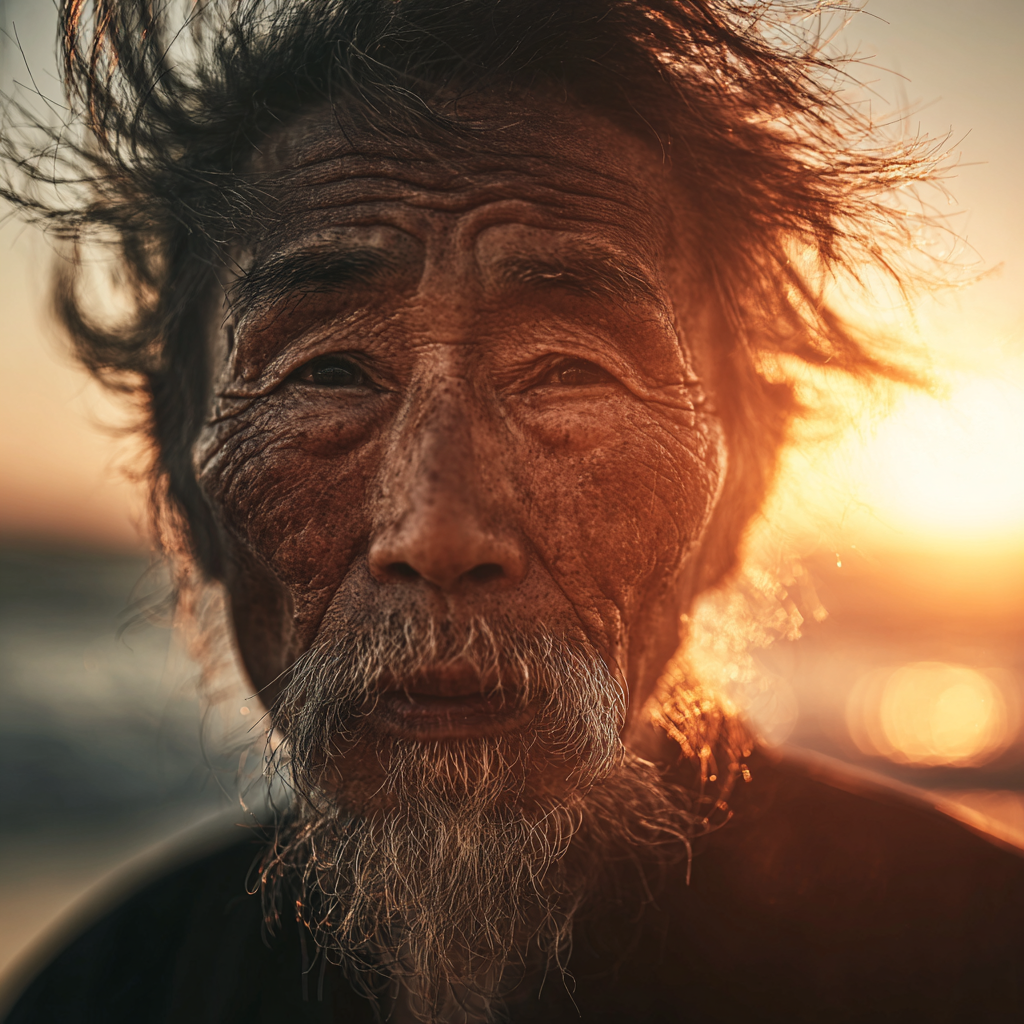
[IMAGE GALLERY: All 8 tools' portrait results in a 2x4 or 4x2 grid]
midjourney_01_portrait.png | gpt_01_portrait.png | nano_01_portrait.png | flux_01_portrait.png
sd_01_portrait.png | leonardo_01_portrait.png | firefly_01_portrait.png | ideogram_01_portrait.pngPhotorealistic portrait test: same prompt, eight different interpretations of skin texture and golden hour lighting
Midjourney and GPT Image led this category with near-photographic skin texture and accurate bokeh. Nano Banana Pro impressed with lighting accuracy but slightly softer detail. FLUX.2 delivered a solid result in a fraction of the time. Ideogram and Leonardo produced good results but lacked the fine detail in wrinkles and skin pores. Firefly was technically competent but sterile. Stable Diffusion varied significantly between generations.
The portrait test is just the beginning. Below, we run all 8 tools through product photography, fantasy illustration, text rendering, architecture, and abstract art — plus our full pricing breakdown and final score cards.